
Product discovery · User needs, test planning · 2026
Same words, different needs
A product-discovery sprint on Figma: finding the need behind the complaint, then deciding how to test an idea before building it.
When people say Figma is “too expensive” or “too messy,” what do they actually need?
- Role
- Research, analysis, test design
- Timeline
- Sept 2026
- Team
- Solo
- Methods
- Review mining, Five Whys, delight grid, test card
in short
I studied Figma as a product. I sorted seven public reviews by the need underneath instead of the words on top, ran a Five Whys interview that turned a request for a cleanup button into a need for confidence at handoff, and mapped six opportunities on a delight grid. Then I wrote a test plan for one of them, a “handoff readiness check,” with pass and fail cutoffs set before testing. Nothing has been built or tested yet; the work is ongoing.
Not just a design tool anymore
I started with market research on Figma, a PESTLE analysis and a SWOT. Two findings set up everything after: Figma is becoming a shared workspace for product, engineering, research and marketing, not only designers, and several seat types and AI credits make its pricing harder to understand.
For the user-needs work, I focused on designers and small product teams using Figma for design-to-dev work.
“Do not treat the complaint as the need. The words are only the starting point.”
Same words, different needs
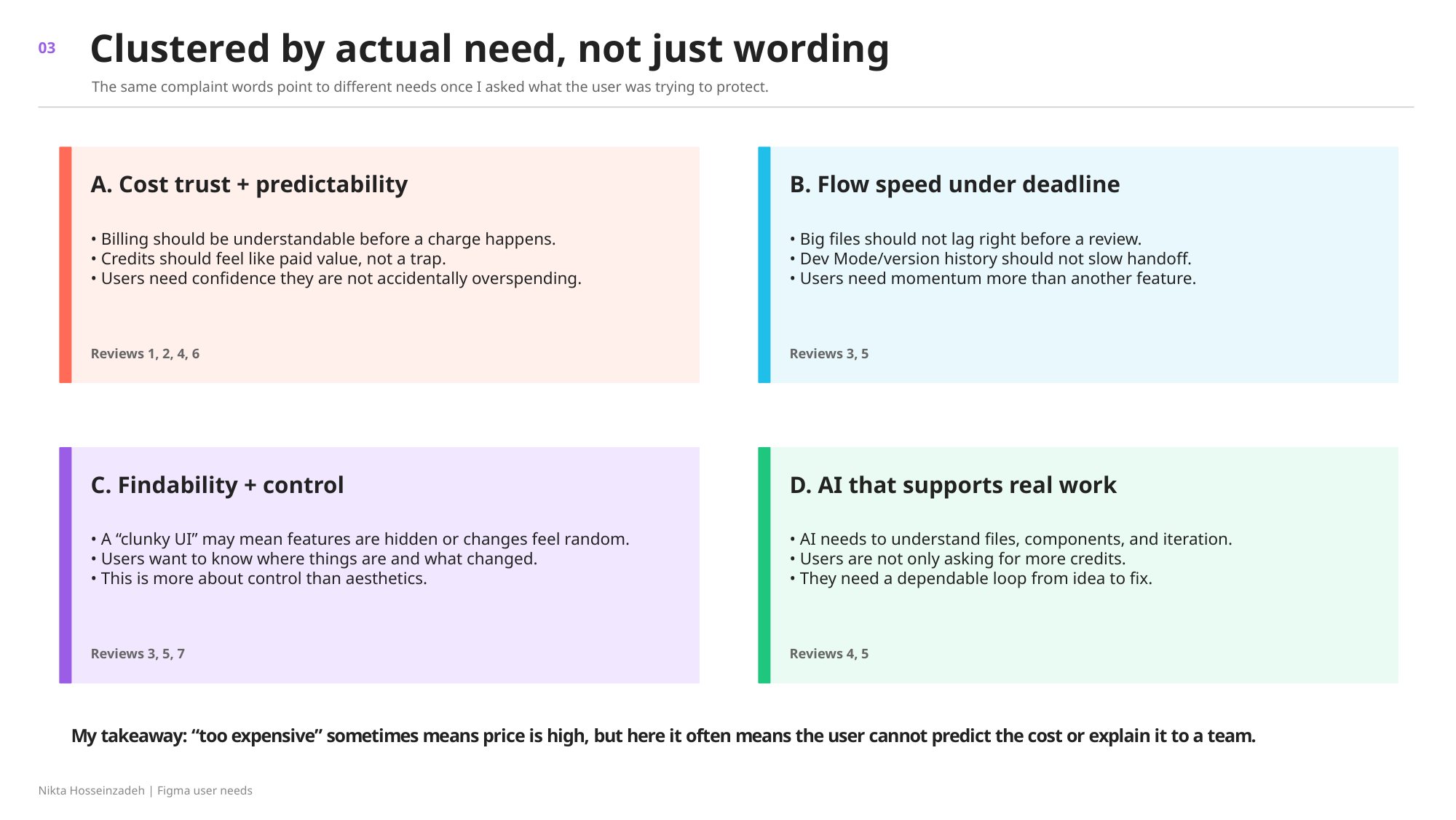
I pulled seven public reviews from Trustpilot, G2 and the Figma Forum, paraphrased them so they’d fit on a slide, and sorted them by the need underneath: cost trust and predictability, flow speed under deadline, findability and control, and AI that supports real work.
“Too expensive” sometimes means price is high, but here it often means the user cannot predict the cost or explain it to a team.
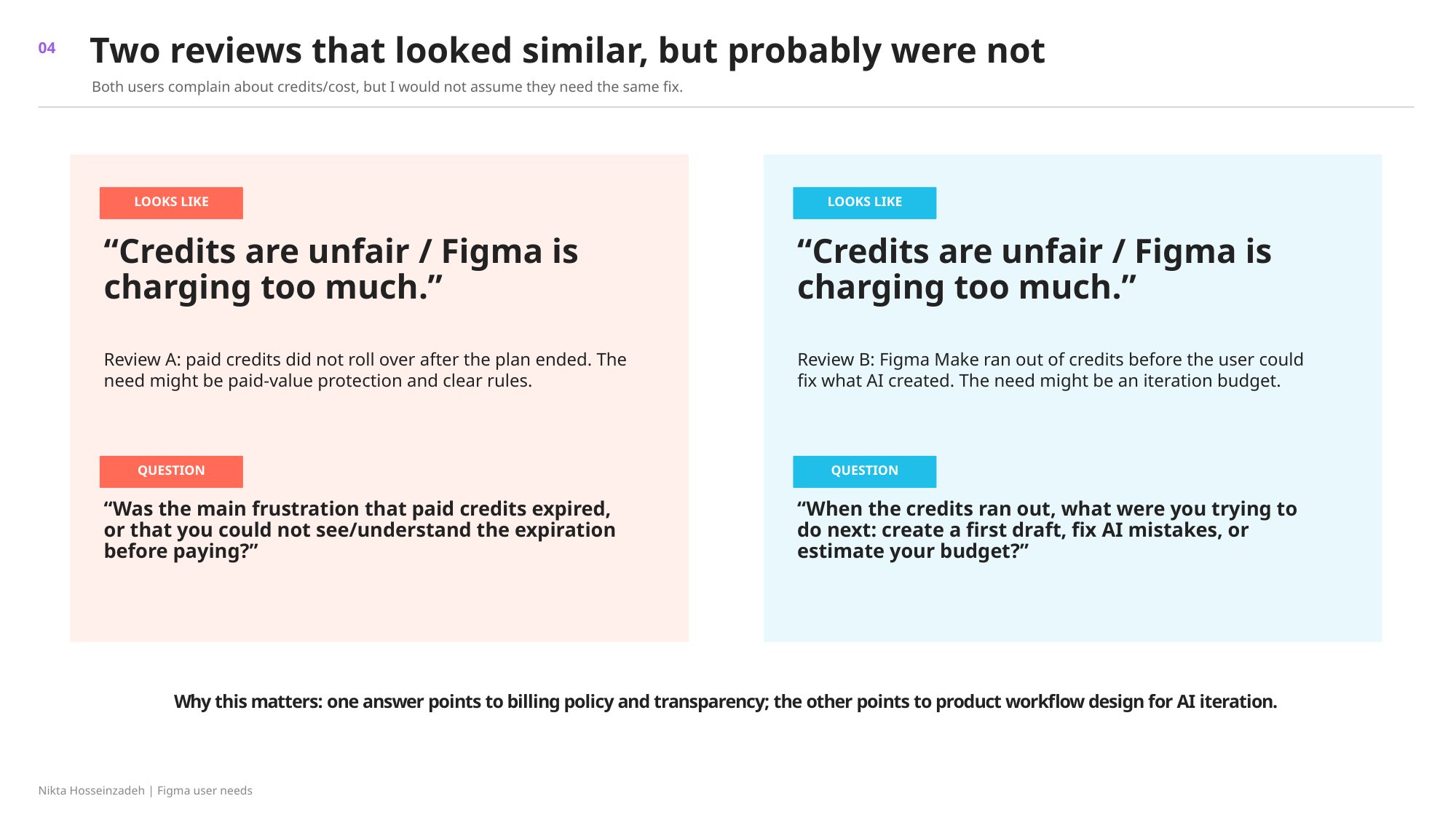
Two reviews looked identical, “credits are unfair,” but one was about paid credits that expired and the other about running out of credits mid-iteration. So I wrote a different follow-up question for each.
Five Whys: from a cleanup button to confidence
Then I ran a Five Whys interview with someone who said: “I wish Figma had an easier way to clean up a file before sharing it with developers.” On the surface, that’s a request for a cleanup button. Asking why five times went somewhere else:
- Devs say my files are messy.
- Handoff takes longer.
- I have to explain things twice.
- It makes me look unprepared.
- I want confidence before review.
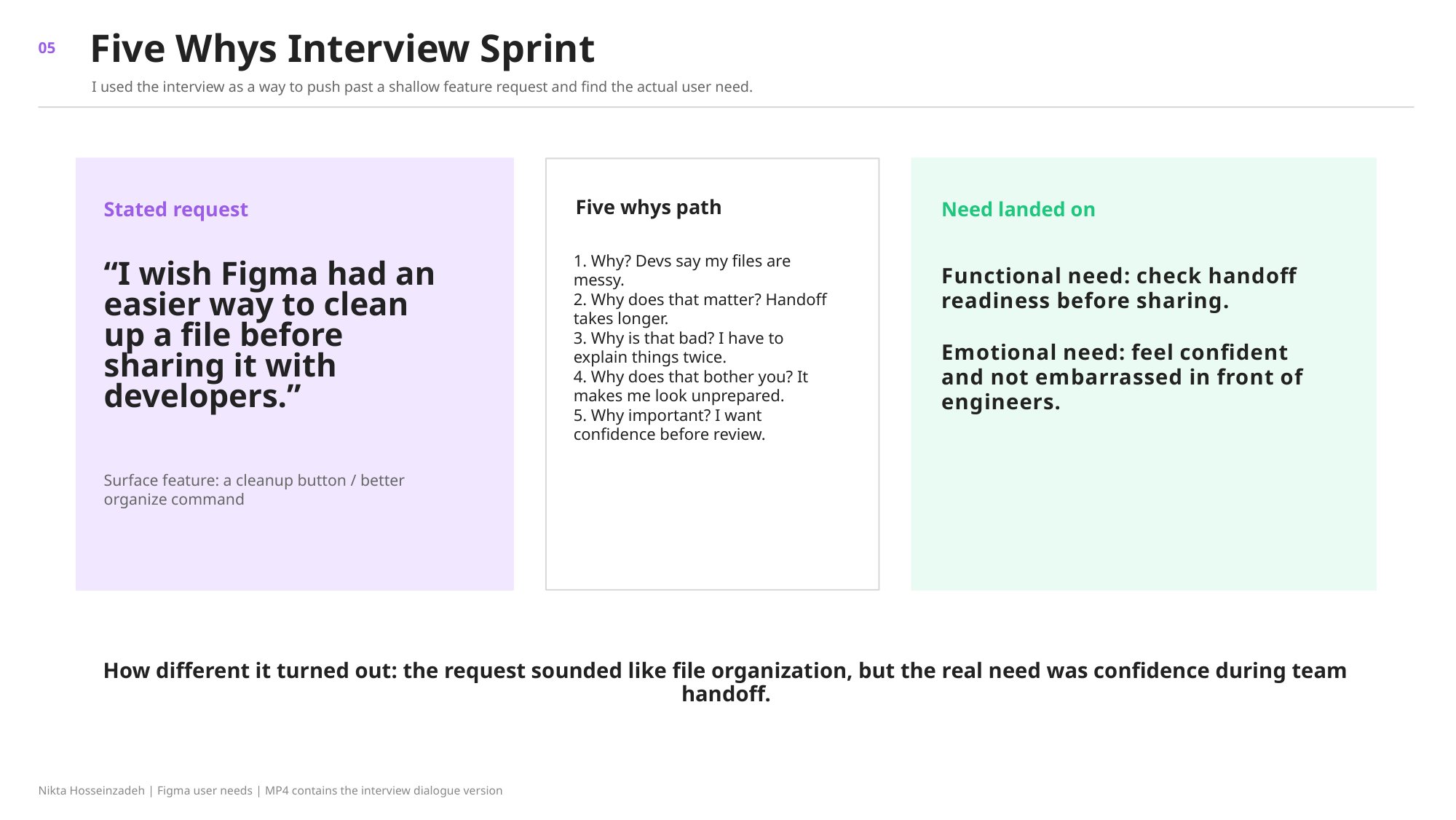
“The request sounded like file organization, but the real need was confidence during team handoff.”
From motivators to opportunities
I mapped five functional and five emotional motivators, like “feel confident before a critique or handoff” and “feel trusted by the team, not like the blocker,” and turned them into six rough opportunities. A delight grid sorted them by functional and emotional impact.
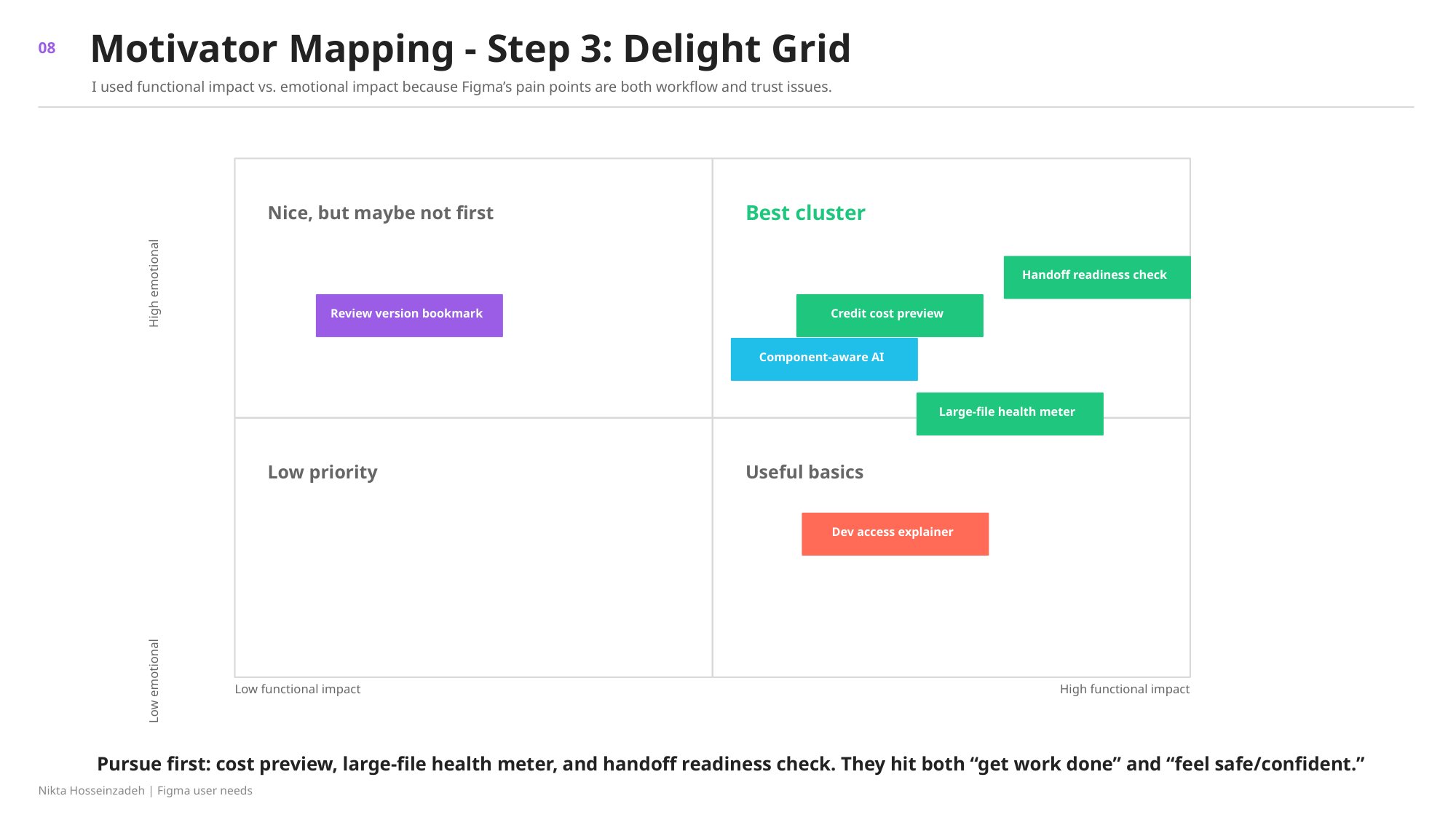
“Prioritize the two ideas that reduce surprise in bad ways (unexpected charges and unexpected lag), not decorative ‘confetti’ delight.”
Deciding what would prove me wrong
Next, I wrote a test plan for the handoff readiness check: right before Share, Figma would flag a few common handoff problems, like unclear frame names, duplicate “final” screens or detached components, as a short checklist instead of reorganizing the file automatically. My user-needs work suggested confidence at handoff matters, but it didn’t prove designers would choose an extra step, so that’s what the plan tests.
| Item | Hypothesis | Type |
|---|---|---|
| H1 | At least 4 of 8 designers who hand off monthly had a handoff delay in the last 30 days. | Desirability |
| H2 | At least 7 of 12 will choose a 60-second check in the Share flow. | Desirability |
| H3 | Across 8 files, the check flags 3 common problems with at least 75% agreement with an experienced designer. | Feasibility |
| H4 | It costs under about $0.10 per file. | Viability |
| H5 | Fewer than 7 of 12 choose it. | Disconfirming |
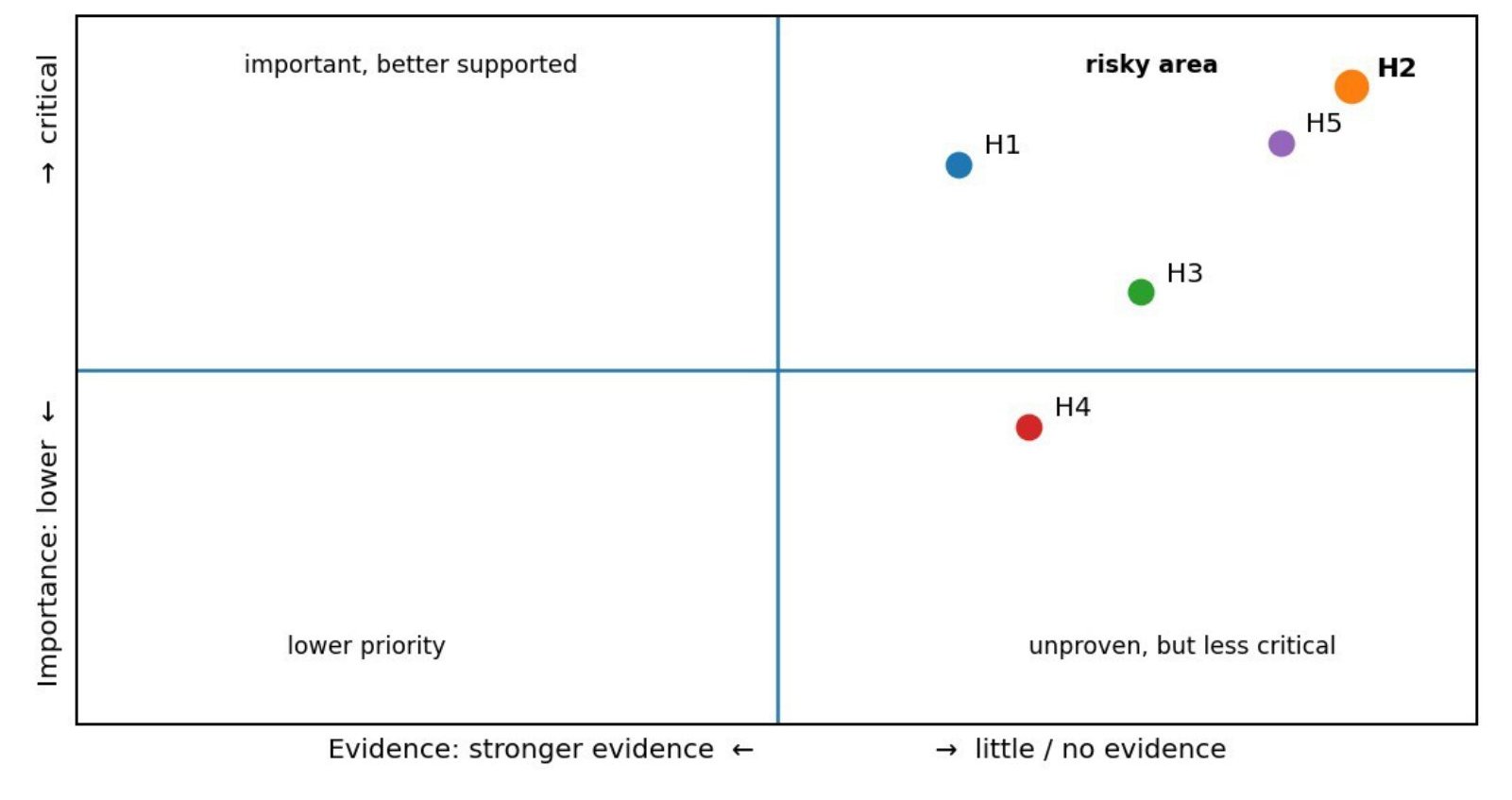
The test: 12 short moderated remote sessions with designers who hand off Figma files at least monthly. The task is “You are done with this design and need to send it to an engineer,” with a “Check handoff readiness” option in the Share flow that I won’t point out. What counts is whether people choose it on their own.
| Result | Decision |
|---|---|
| 7 or more of 12 | Persevere: move to a beta in a real workflow. |
| 4 to 6 | Pivot: test something less interruptive, like warnings already inside the Share flow. |
| 3 or fewer | Kill the standalone pre-share check. |
“Without a rule, I could probably explain away almost any result because I already like the idea. The cutoffs force me to react to the evidence instead of moving the goalposts.”
Where it stands
The test hasn’t run yet, so there’s no prototype and no results. The cutoffs are working numbers for an early test, not Figma benchmarks. Even a pass would only tell me the idea deserves another test, not that Figma should build it. Next come a journey map, prioritization and a roadmap.