
UX research · Usability study · 2025
Can anyone really design with Canva?
A multi-method usability study of a tool almost everyone uses, and the features people can’t find.
Why can’t people find the features they need?
- Role
- UX researcher
- Timeline
- Jan–May 2025
- Team
- Team study, with my own audit, test session, interview and empathy map
- Methods
- Heuristics, think-aloud, interviews, coding
in short
Canva promises that anyone can design. Our team tested that promise with a heuristic evaluation, a competitive review, think-aloud usability tests and interviews, then synthesized what we found. Sharing worked for everyone. But several features failed because people couldn’t find them or didn’t recognize their names. I did my own heuristic audit, ran one of the think-aloud sessions, interviewed and coded a participant, and built the empathy map for our persona.
Ten heuristics, ten fixes
We audited Canva against Nielsen’s ten usability heuristics as a team, pairing every issue with a recommendation. The ten below are from my own heuristic workbook.
| Heuristic | Issue | Recommendation |
|---|---|---|
| Visibility of system status | No progress bar when dragging in images | Real-time “Processing…” and “Saving…” feedback |
| Match with the real world | “Magic Resize” and “templates” are unclear to non-designers | Use more common language |
| User control and freedom | Undo is easy to miss in the top bar | Make Undo and Redo more prominent |
| Consistency and standards | Button and icon styles change between pages | One consistent pattern |
| Error prevention | No warning before deleting | Confirm risky actions |
| Recognition over recall | Common settings hidden in submenus | Bring frequent tools into the main UI |
| Flexibility and efficiency | Shortcuts are invisible to beginners | A shortcut guide in settings |
| Aesthetic and minimalist design | A crowded sidebar | A customizable workspace |
| Help users recover from errors | Red error text that doesn’t explain the fix | Contextual “Try again” actions |
| Help and documentation | Help is hard to find | A visible Help button |
How it compares
We compared Canva with Prezi, Adobe Express, VistaCreate, Piktochart and Visme on three jobs: a social post, a report and a presentation. I wrote the analysis. Every tool leaned on templates, and many on real-time collaboration. Canva wins on ease and variety, while competitors go deeper: Prezi on storytelling, Adobe on pro editing, Visme on business documents.
“Canva’s ease of use and customizable templates make it accessible to beginners while still offering plenty of flexibility for more advanced users.”
That pointed to opportunities for Canva: deeper templates for education, events and small businesses, AI design suggestions, and Prezi-style storytelling.
Watching people use it
Each think-aloud session started with ten seconds of silent looking, then three questions: what is this for, what can it do, and what stands out? Most people knew Canva was for “designing stuff” but weren’t sure what it could really do or who it was for. Then participants tried four tasks. My script told them: “We’re testing the site, not you.”
| Task | What we observed |
|---|---|
| Choose a business card template | Mixed. Some couldn’t find the templates; others searched, or made a blank design and called it done. |
| Share a project with collaborators | Everyone found Share and added people without confusion. |
| Put an image in a star shape | Most struggled to find or recognize the frame, and several couldn’t finish even with hints. |
| Generate an AI image | Most finished by other routes, but most didn’t recognize the name “DreamLab.” |
“Oh, I didn’t know Canva had AI…”
— Participant
“Why is the star shape not just a crop option?”
— Participant
I also wrote a plan for how biosensors could extend the study: eye tracking to see where people get lost, skin response for stress, and facial expression analysis for frustration. As I put it then, “If one’s eyes are jumping around, it may be a sign of frustration or confusion.”
Who gets left behind
I wrote an interview guide, then interviewed a student with design experience and coded the transcript into twelve codes, from “trial-and-error creative process” to “combines tools to overcome limitations.” Across our team’s interviews, the pattern was that Canva is people’s go-to, but the deeper or less visible features cause friction.
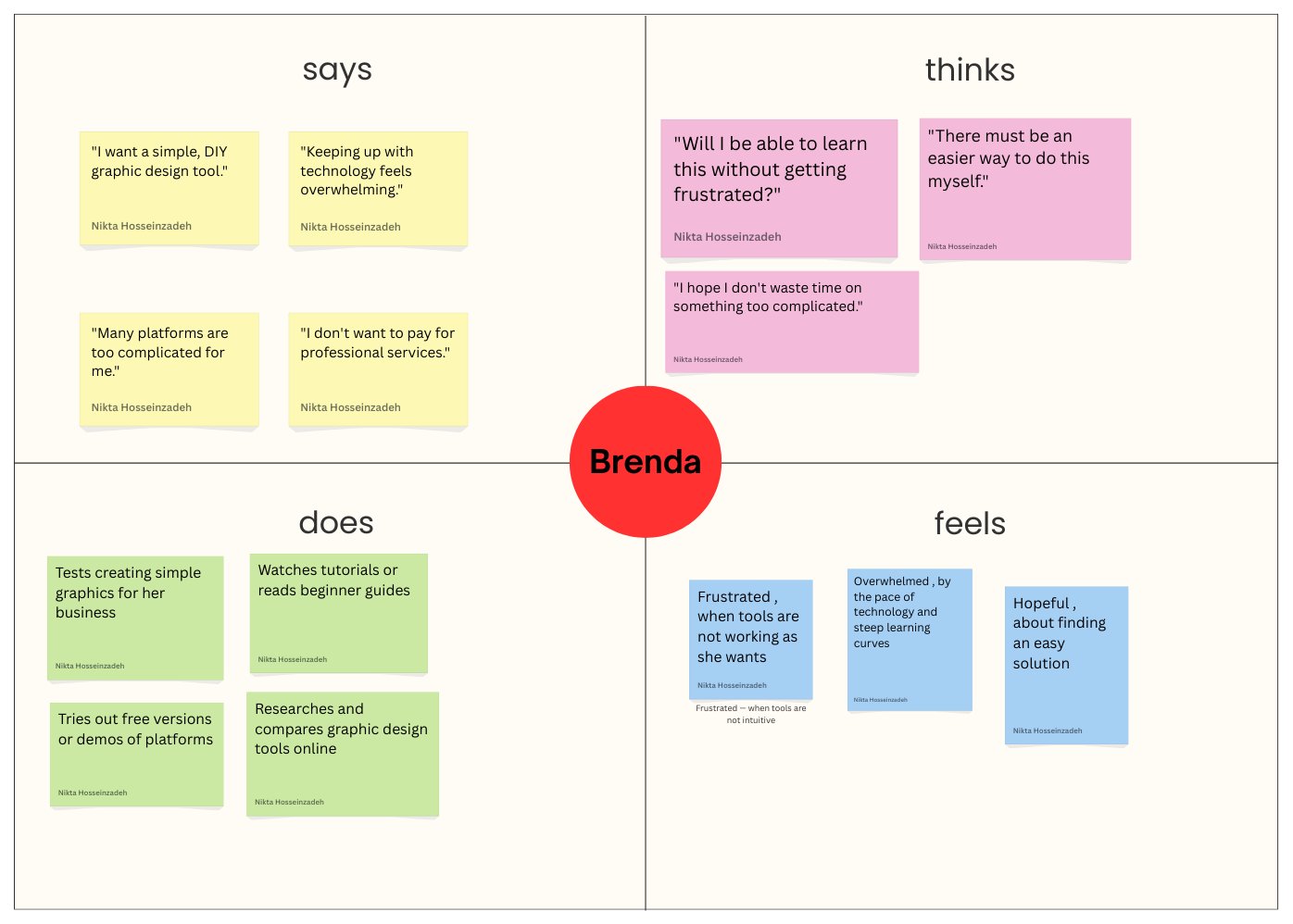
We synthesized everything into Brenda, a 51-year-old small business owner with little time and limited tech skills: a user segment Canva may not always prioritize. I wrote her personal background, in which she runs a small stationery and gift shop.
“If I can’t figure it out in ten minutes, I move on. I’ve got a shop to run.”
— Brenda, synthesized persona
What I took from it
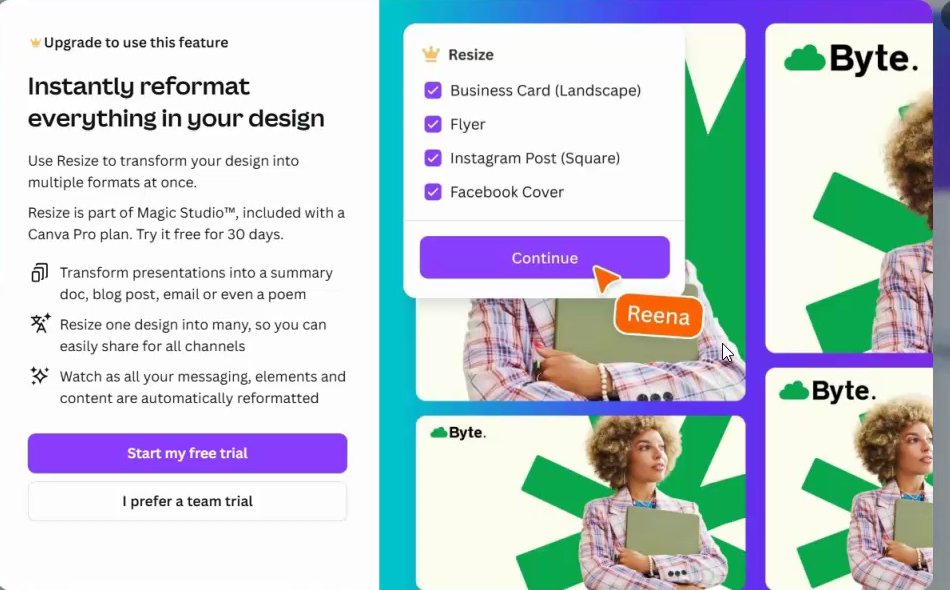
This was a research study. We delivered findings and recommendations, not a redesign. What surprised me most was how business features like Canva Pro interrupt the user journey, and I watched it happen mid-task in my own session.
“Great design isn’t just about how things look, it’s about how they work for real people.”