
Experience design · Website, app, wayfinding · 2025
Illusions of Light
A ticketing site, a companion app and wayfinding signs for an immersive light exhibit, designed as one system.
How do you make an exhibit feel like one experience, online and in the room?
- Role
- Concept, information architecture, UI, visual design
- Timeline
- Sept–Dec 2025
- Team
- Solo, with peer critique
- Tools
- Figma, Photoshop, Adobe Firefly
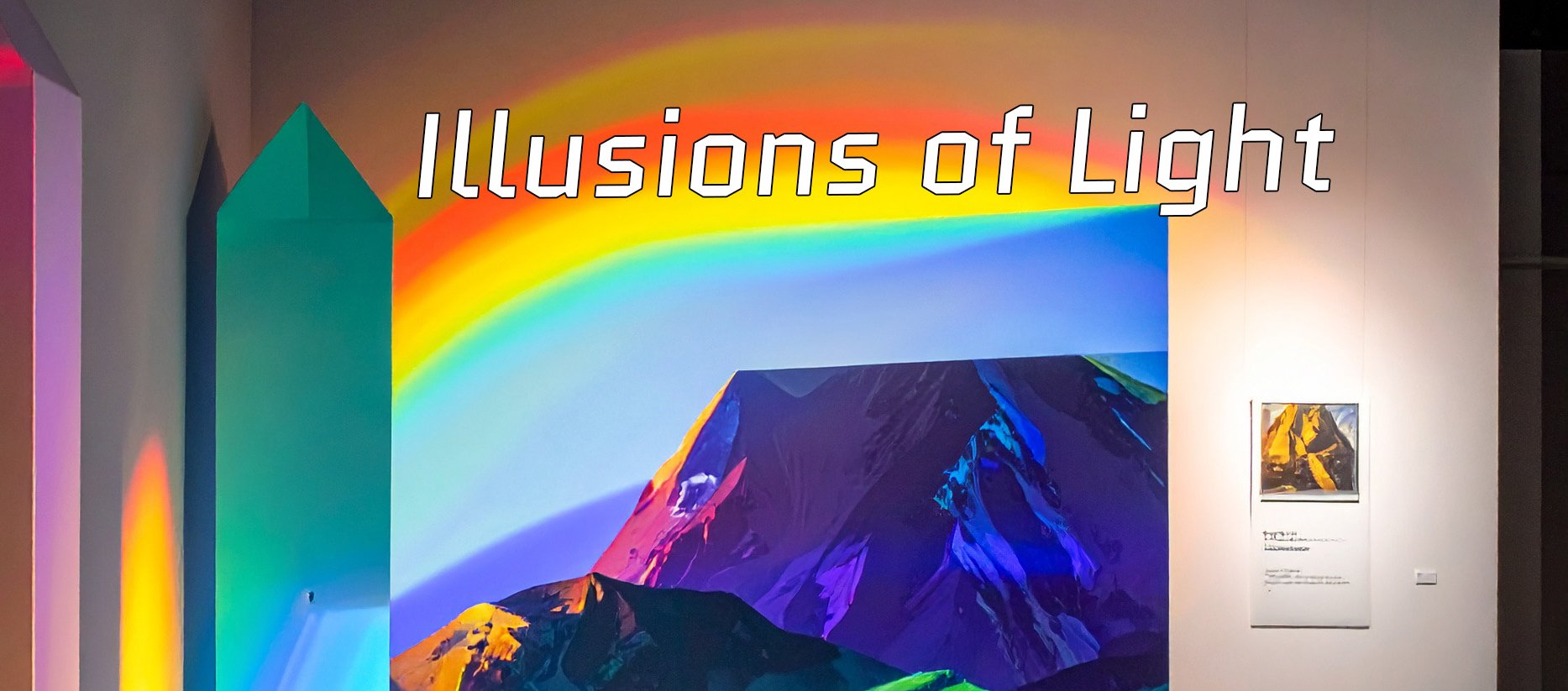
in short
I designed the full visitor experience for a fictional light exhibit at the Cincinnati Museum Center. It has three parts: a website to explore and buy tickets, a mobile app where visitors draw with light and earn rewards, and the signs that guide them through the building. I worked from moodboards to a sitemap, sketches, annotated wireframes and clickable Figma prototypes, keeping one visual language across screens and signs.
Choosing a direction
My first pitch was a dark, mysterious exhibit about the unexplained, from glowing deep-sea creatures to writing nobody has translated. I moved to light: an exhibit that would help visitors see light as both a scientific phenomenon and an artistic medium.
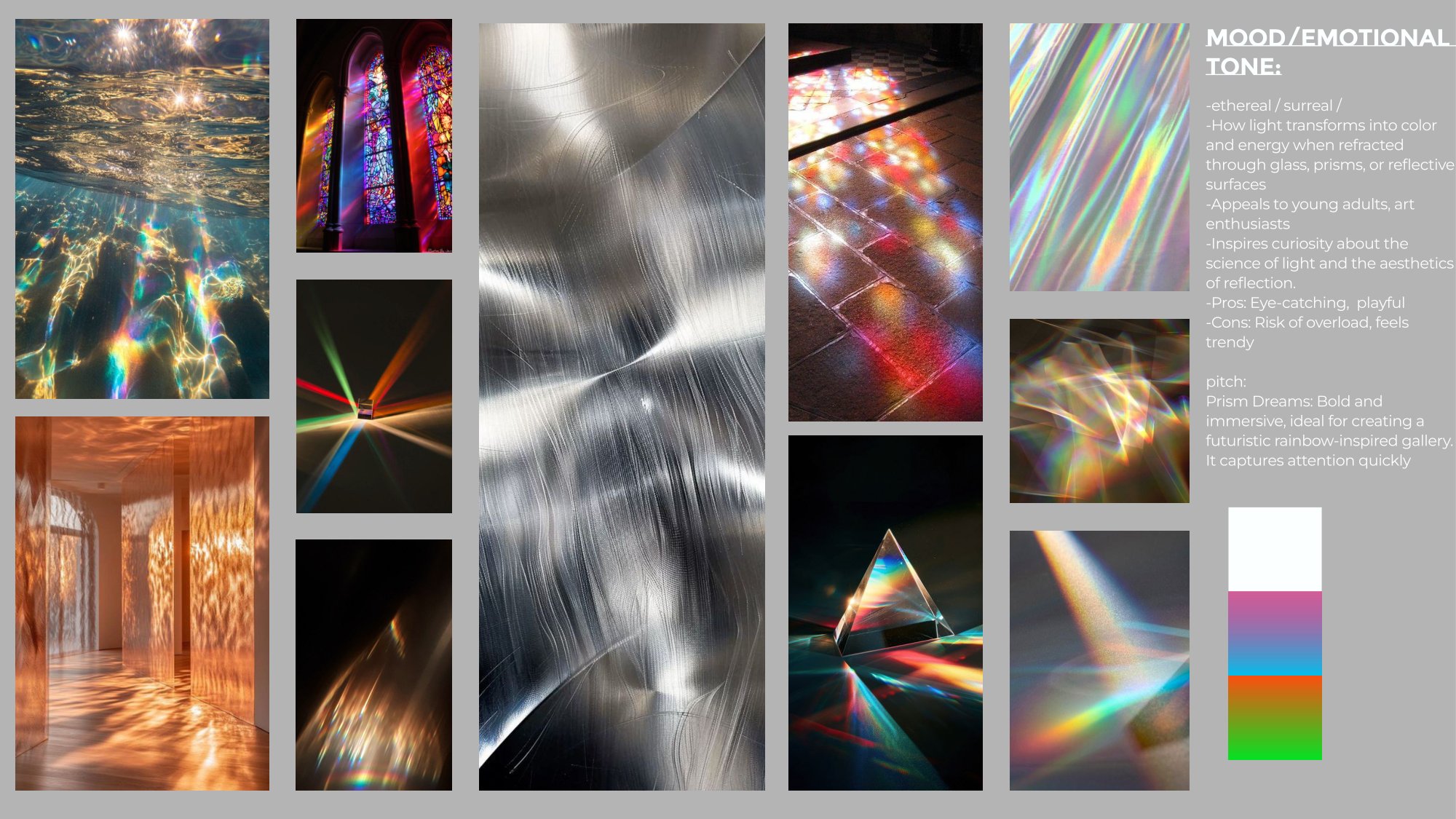
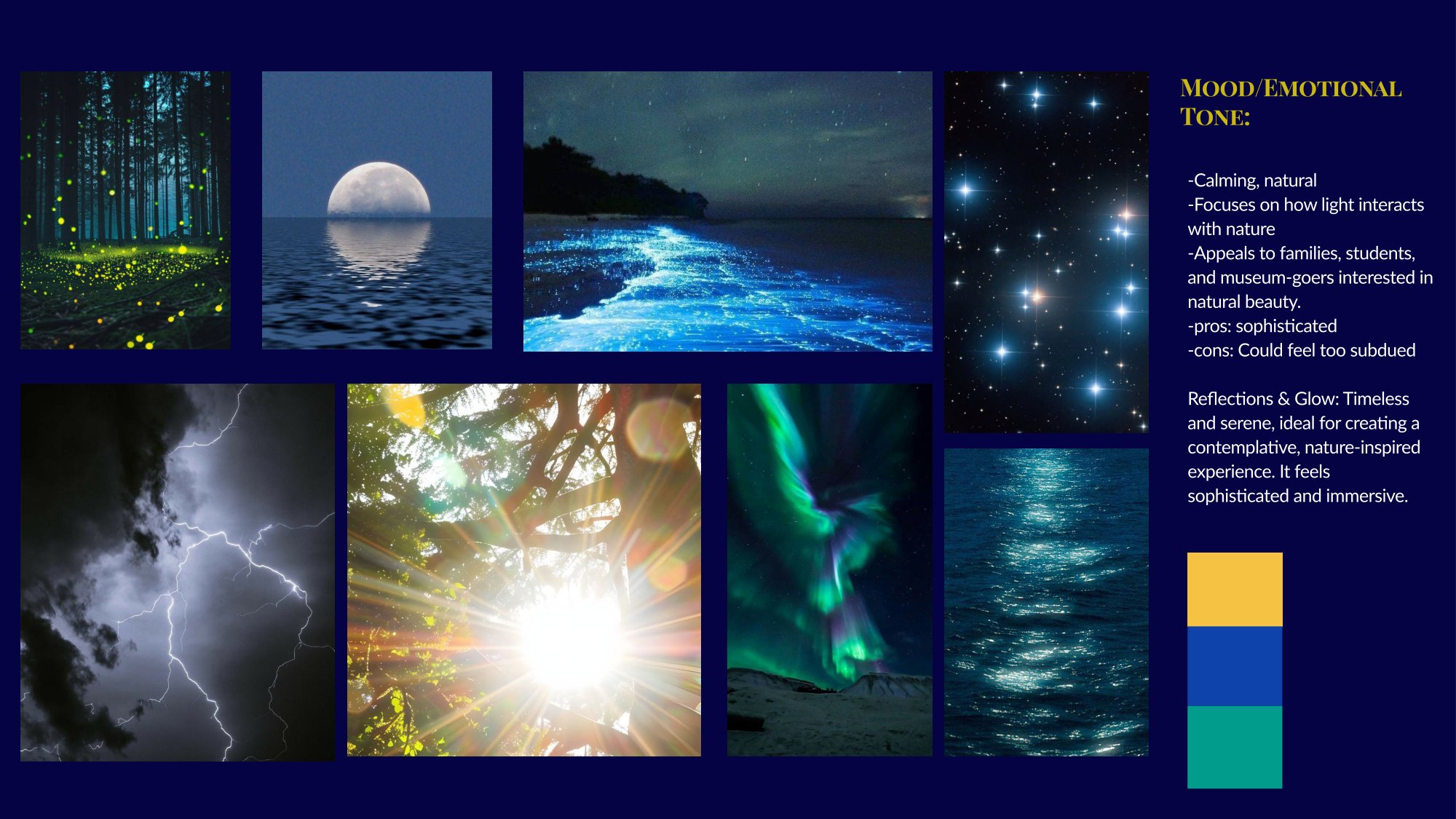
I went with the bold, prismatic direction.
“Visitors should feel transported into a dreamlike environment where light itself becomes art.”
I generated base images in Adobe Firefly, then edited the lighting and color and set all the type myself in Photoshop.
Structure before screens
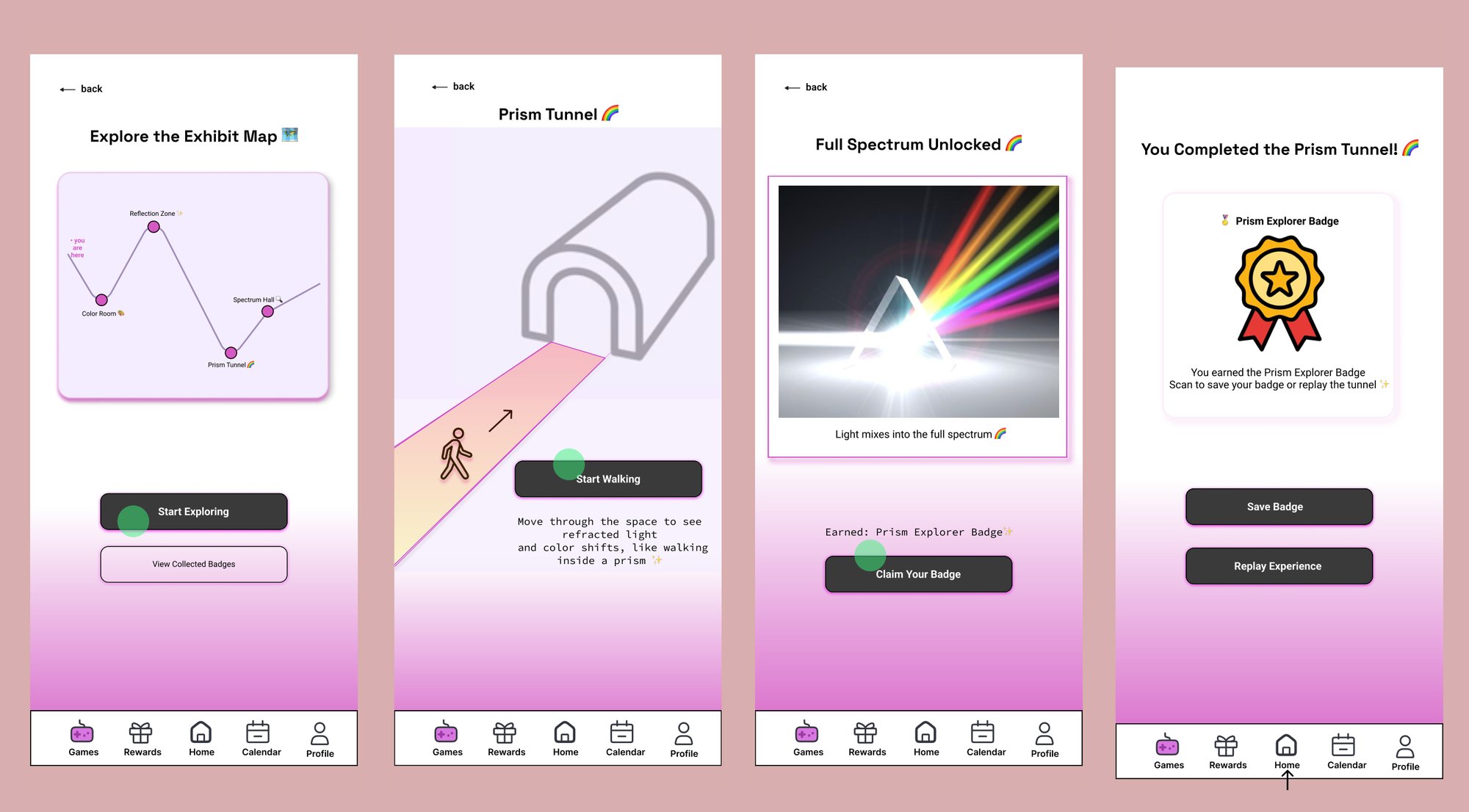
The sitemap splits the app into three color-coded flows: the light game, sharing your creation, and an exhibit map with hidden rooms. Each flow ends back at Home, and a five-tab bottom bar is always there.
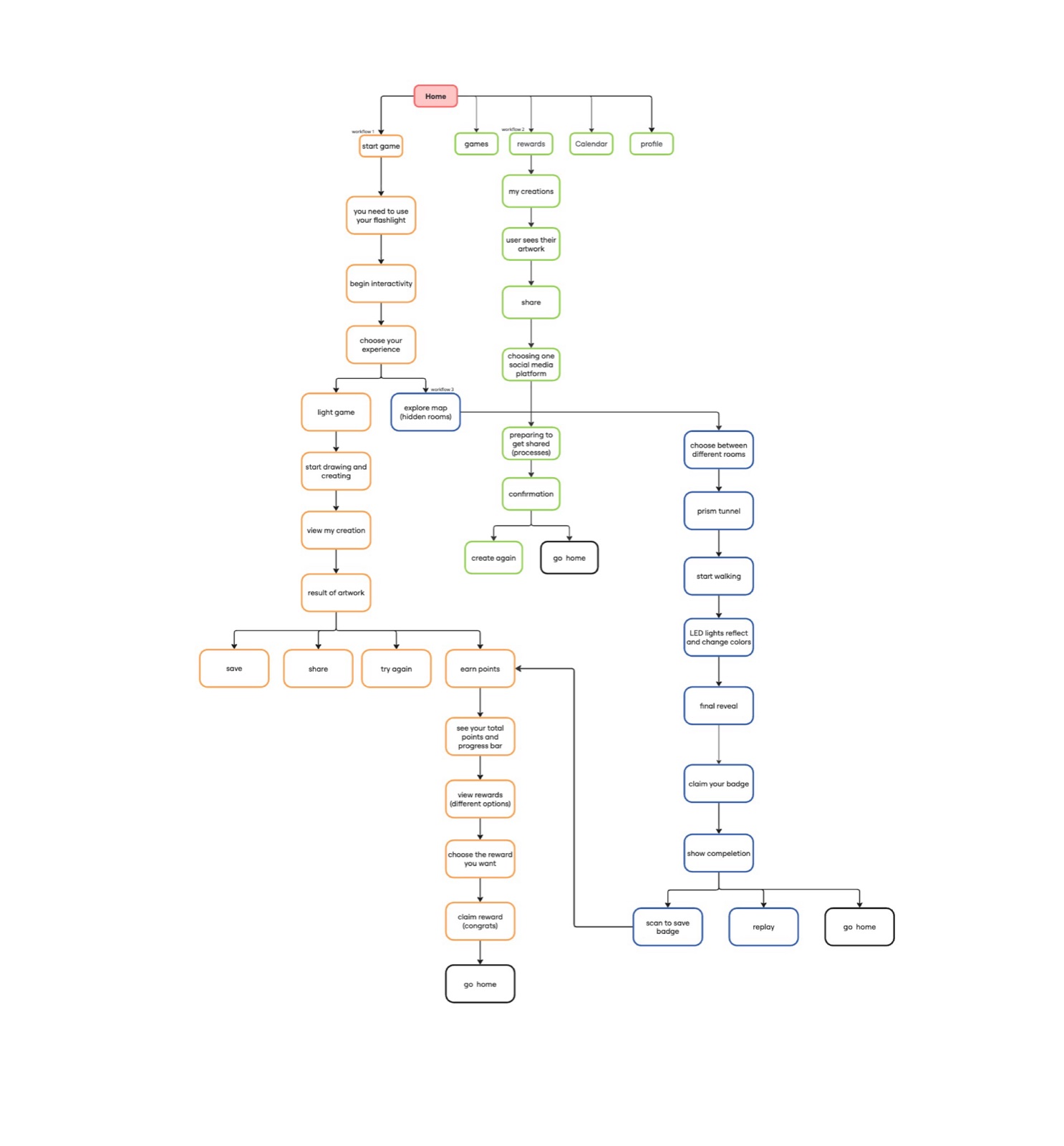
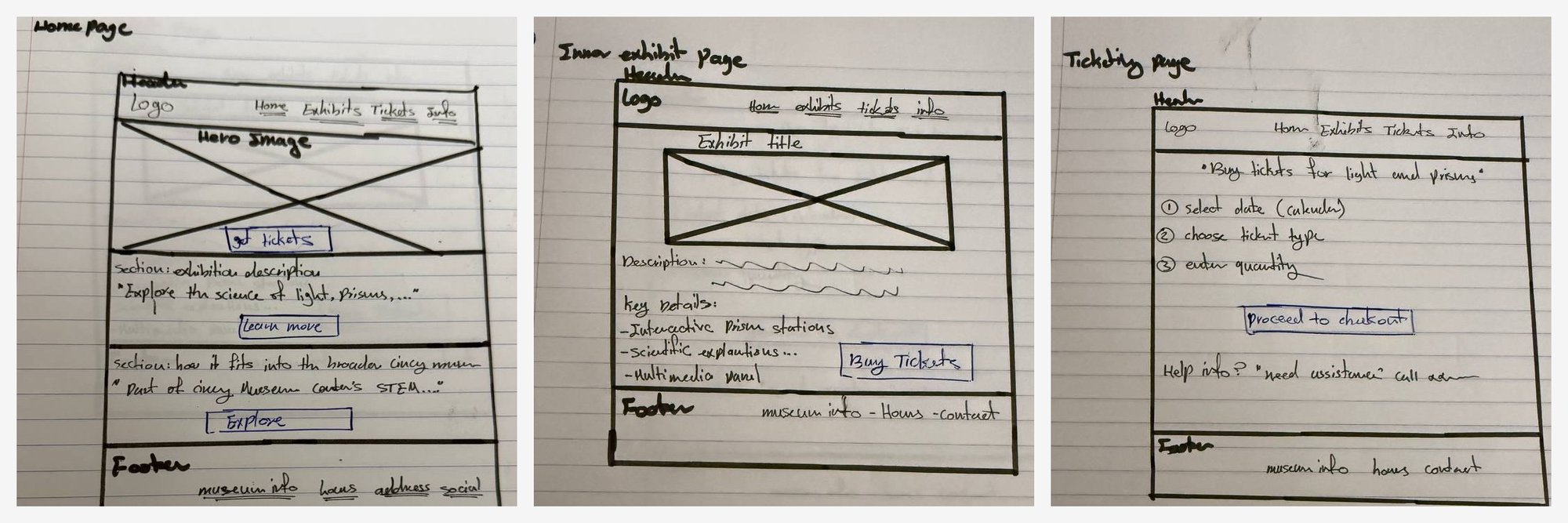
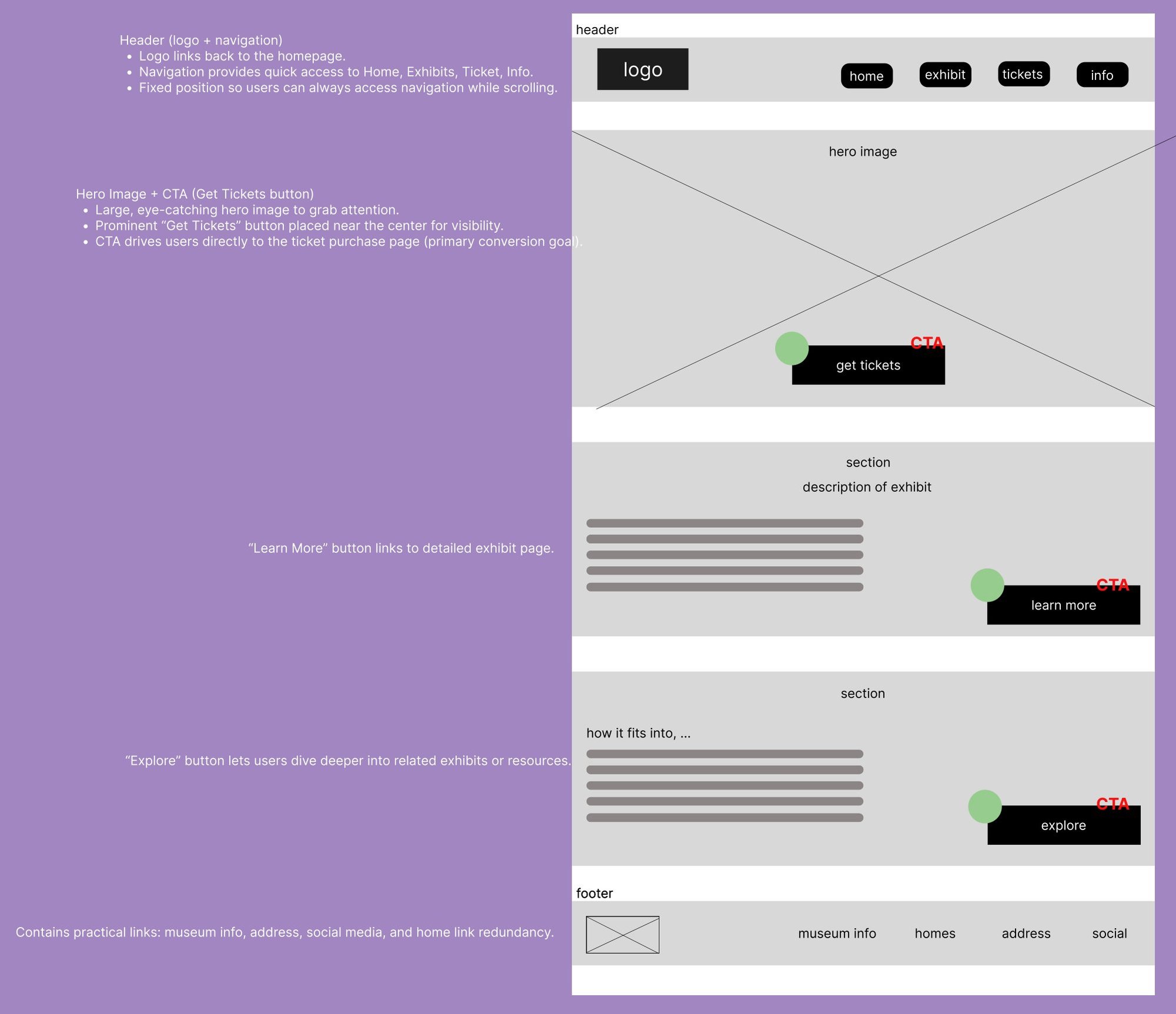
For the website, I sketched the home, exhibit and ticketing pages, then annotated the key decisions in the wireframes: a fixed nav so people can always get around, a prominent “Get Tickets” button because tickets are the main goal, and a date picker with a simple +/− quantity selector.
A website that gets out of the way
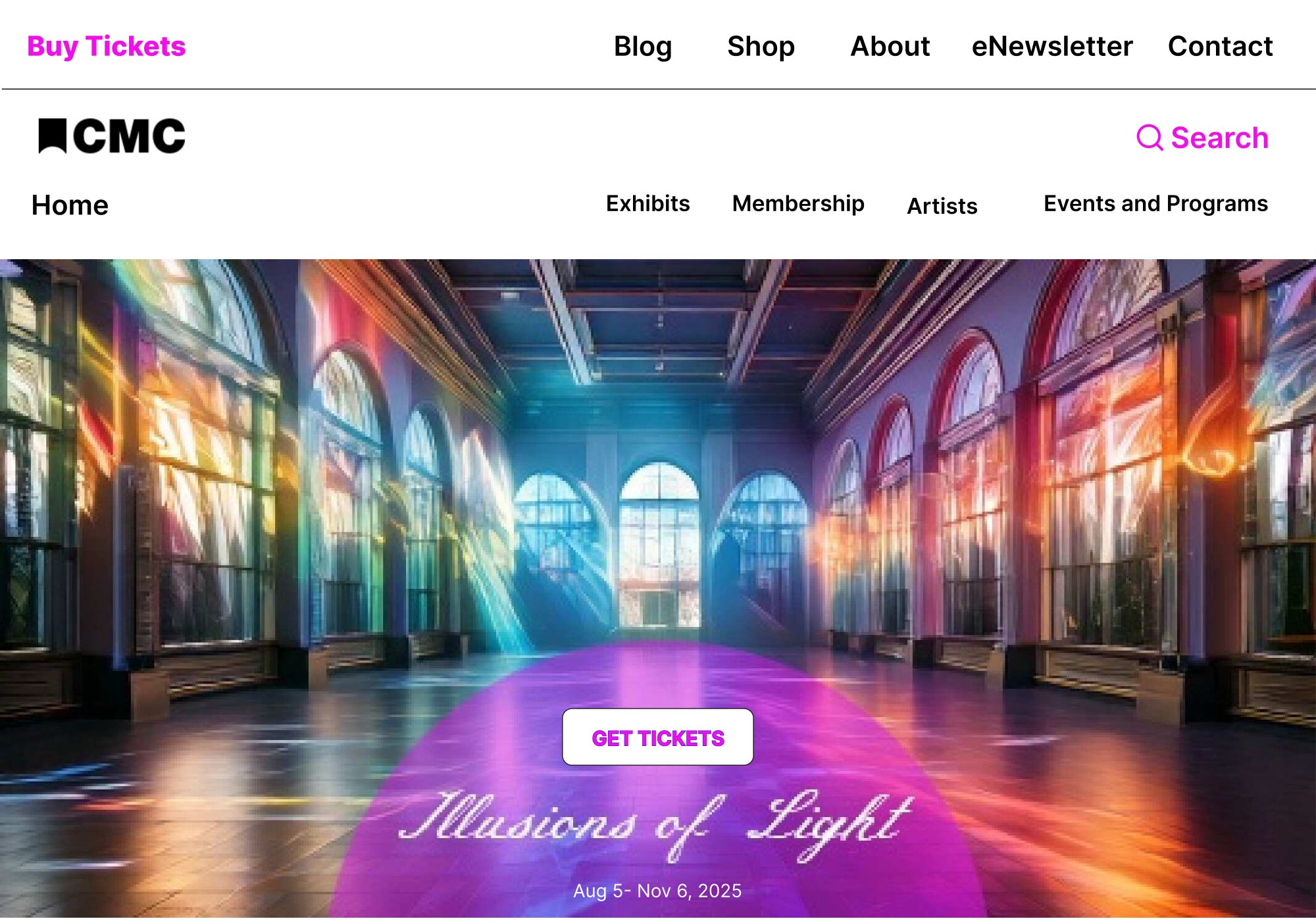
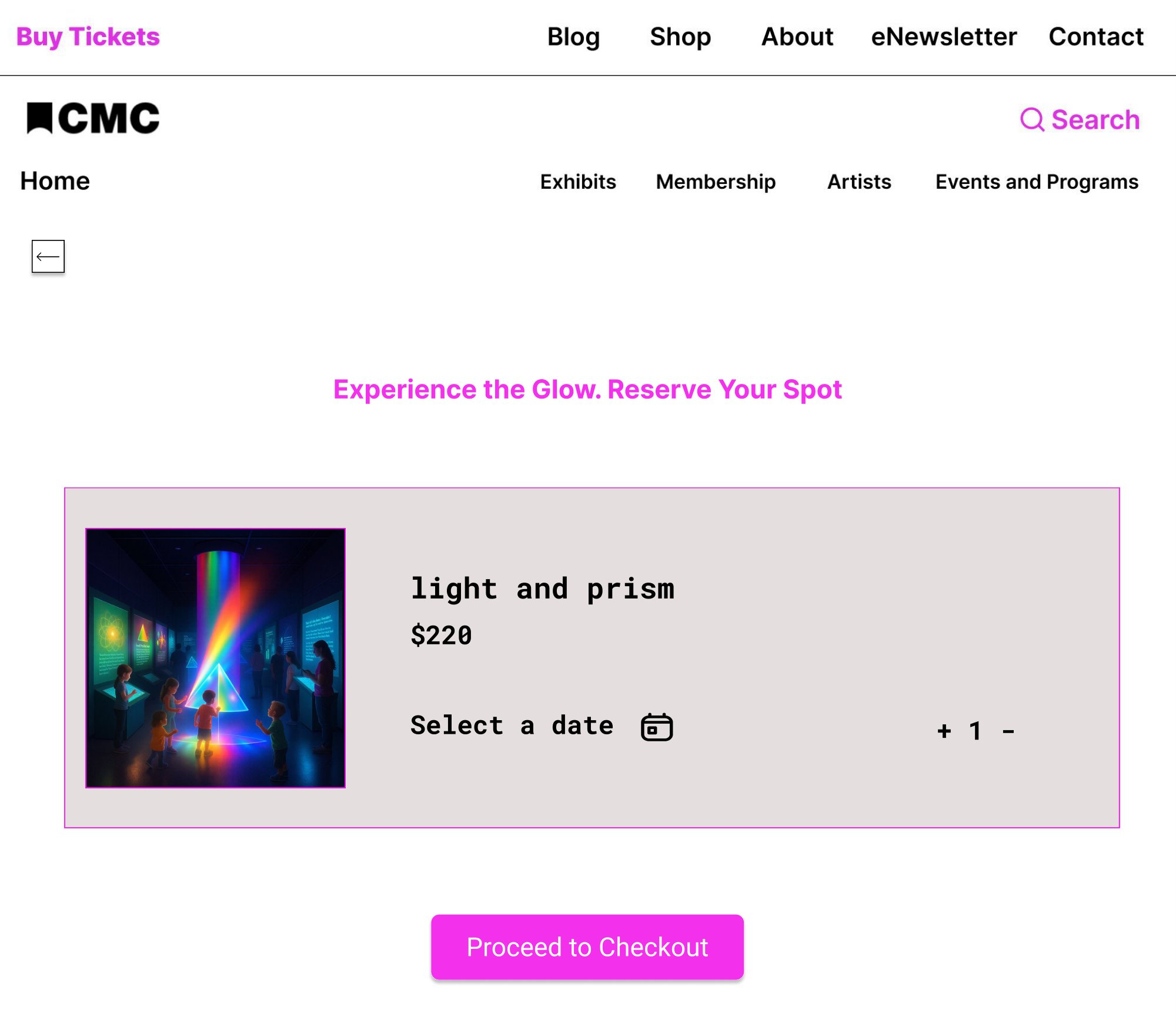
The Get Tickets button sits in the middle of the hero. Ticketing fits on a single page: pick a date, choose a quantity, check out. Inside the museum’s white site template, the art carries the color.
An app that rewards making things
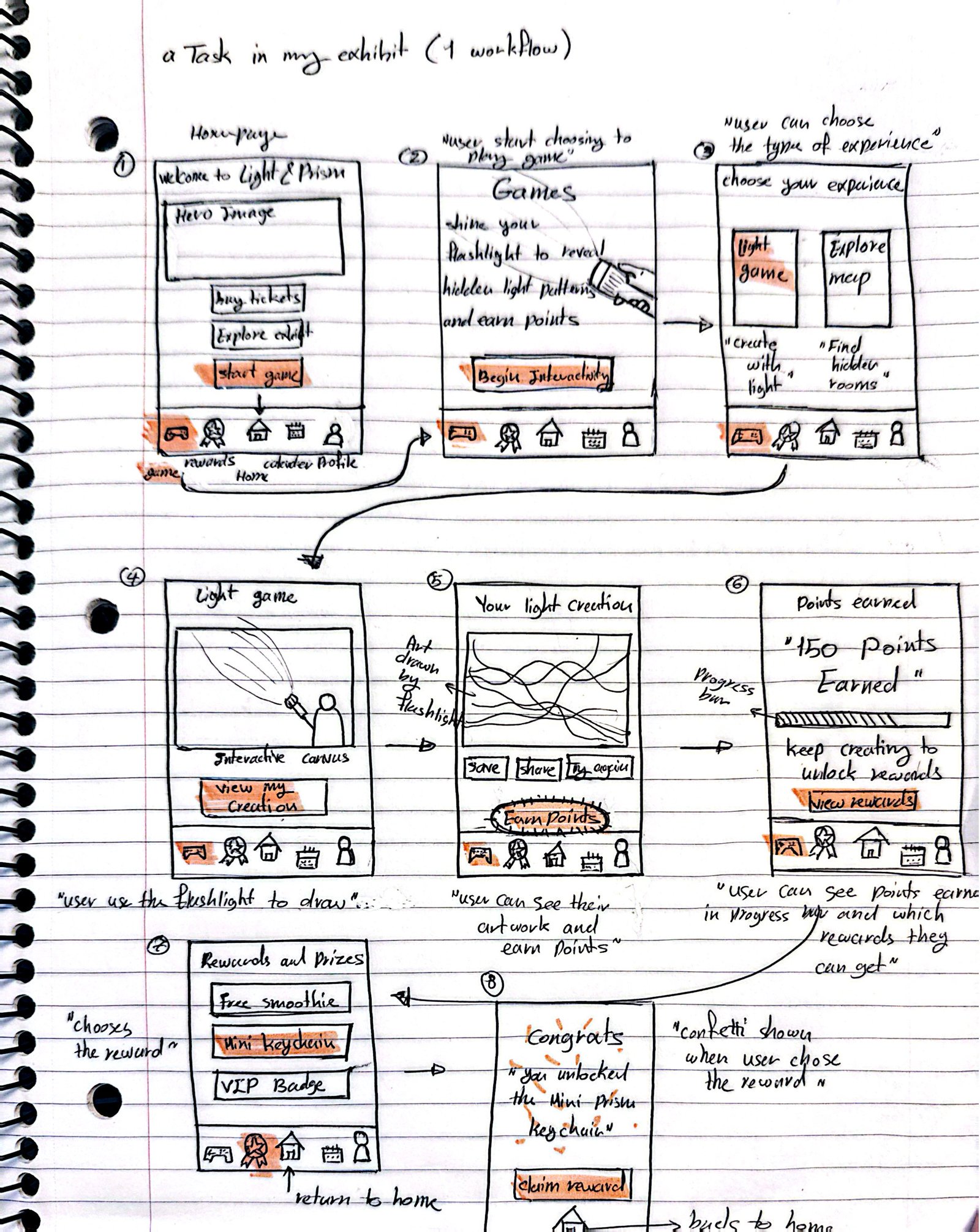
Inside the exhibit, visitors use their phone like a flashlight to draw on a wall, then save and share what they made to earn points toward rewards. Home offers two clear starting points, Start Game or Explore the Exhibit, so nobody has to figure out where to begin.
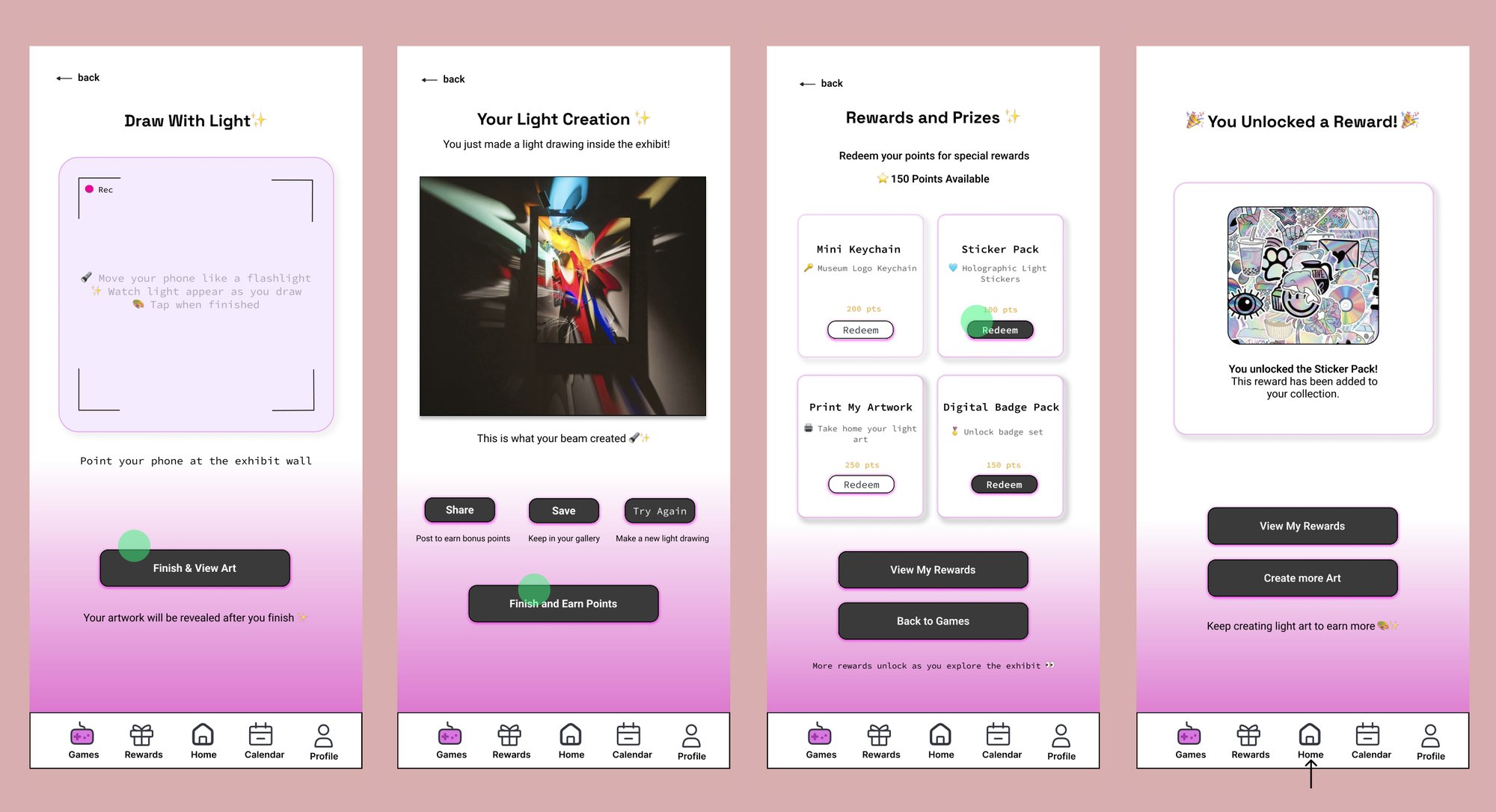
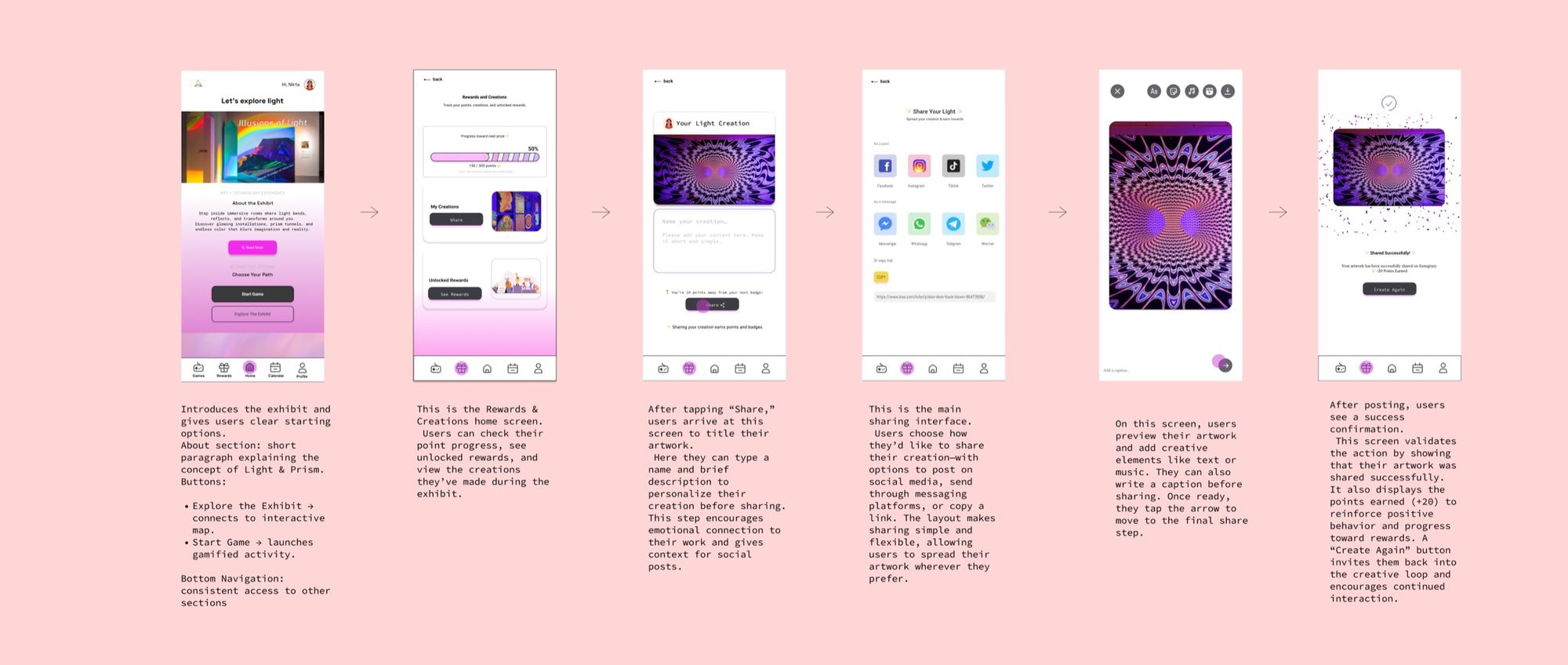
One small decision I like: before sharing, visitors name their creation. As I wrote in the annotations, it “encourages emotional connection to their work and gives context for social posts.” The success screen then shows the points earned and a “Create Again” button to keep the loop going.
The same language on the walls
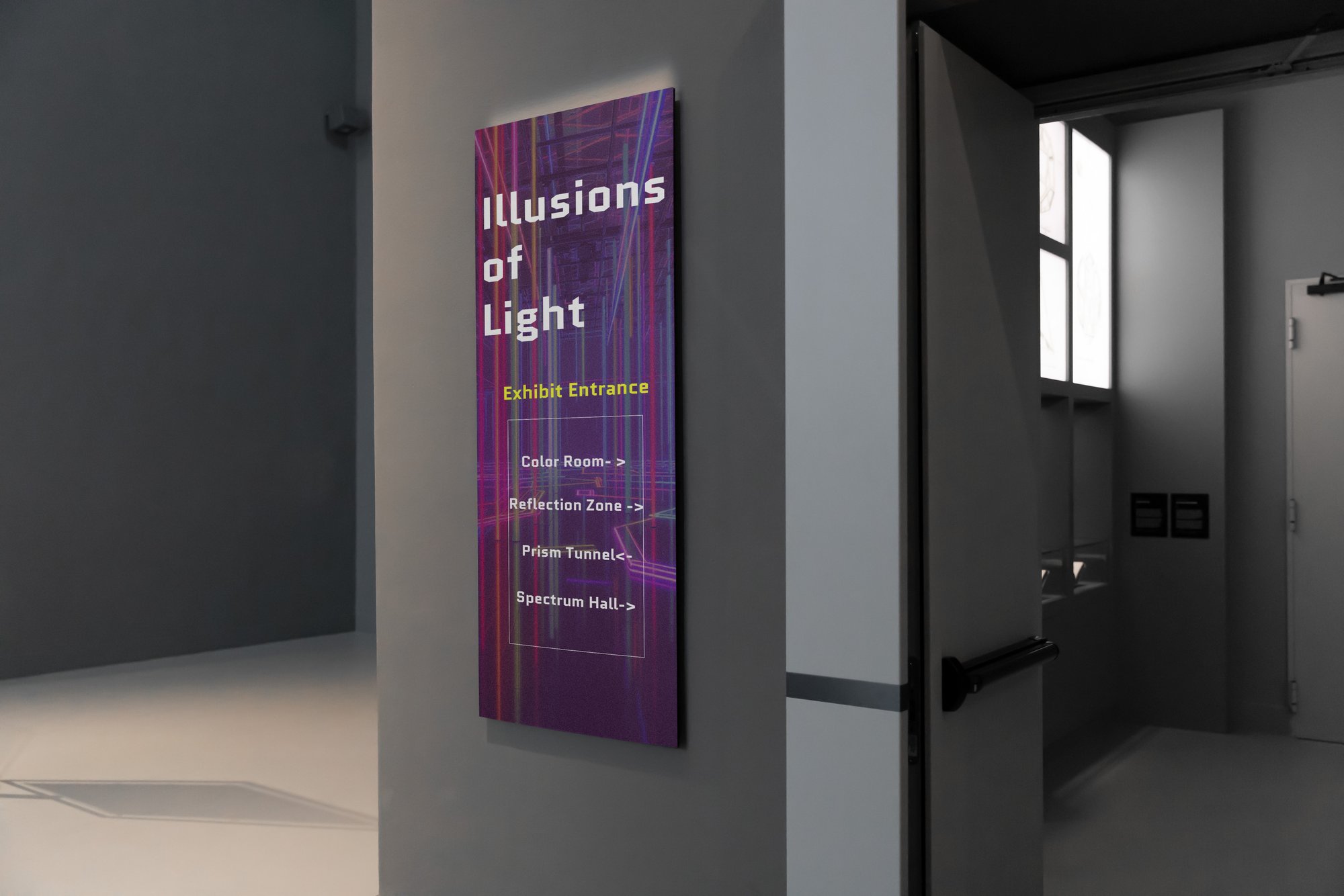
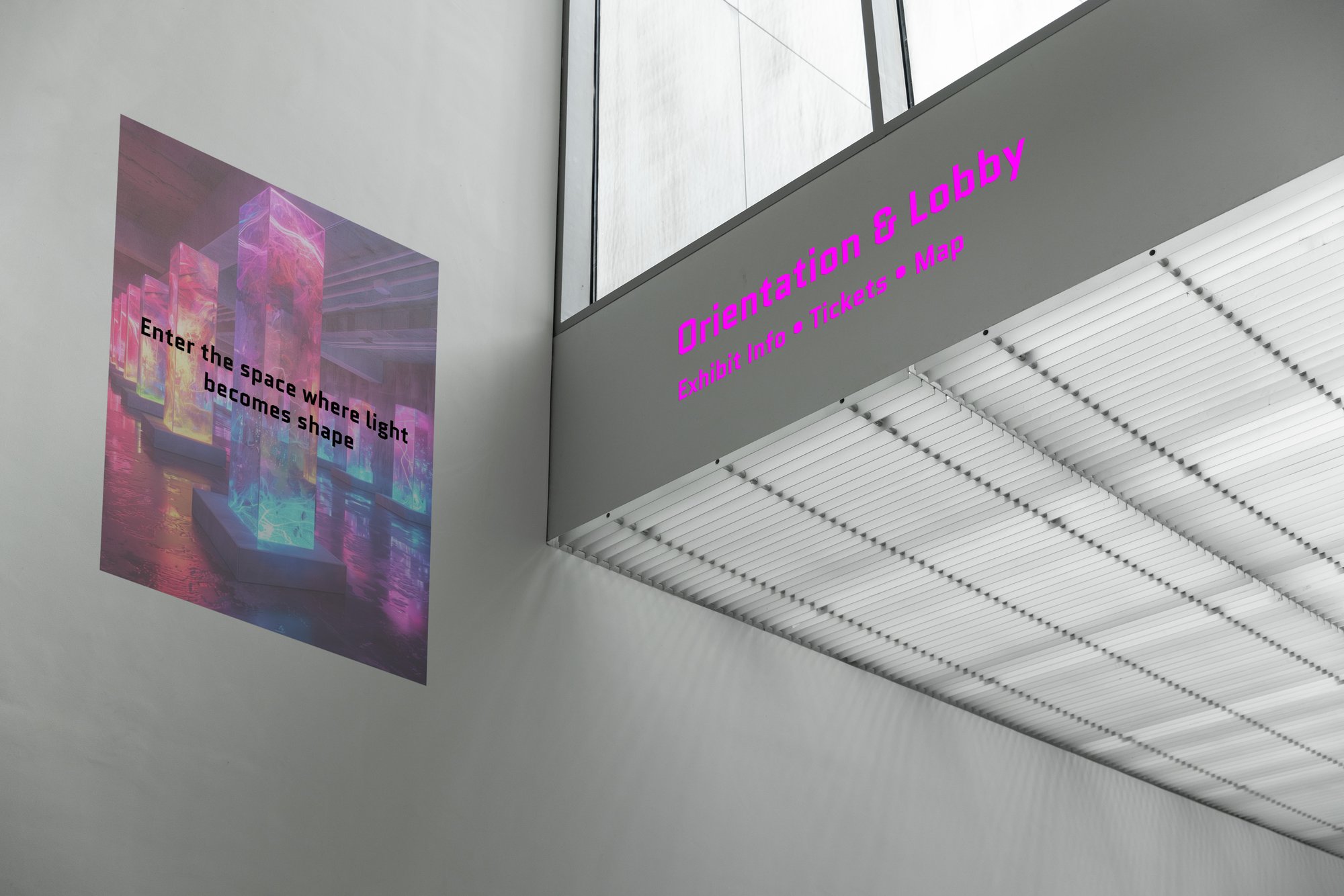
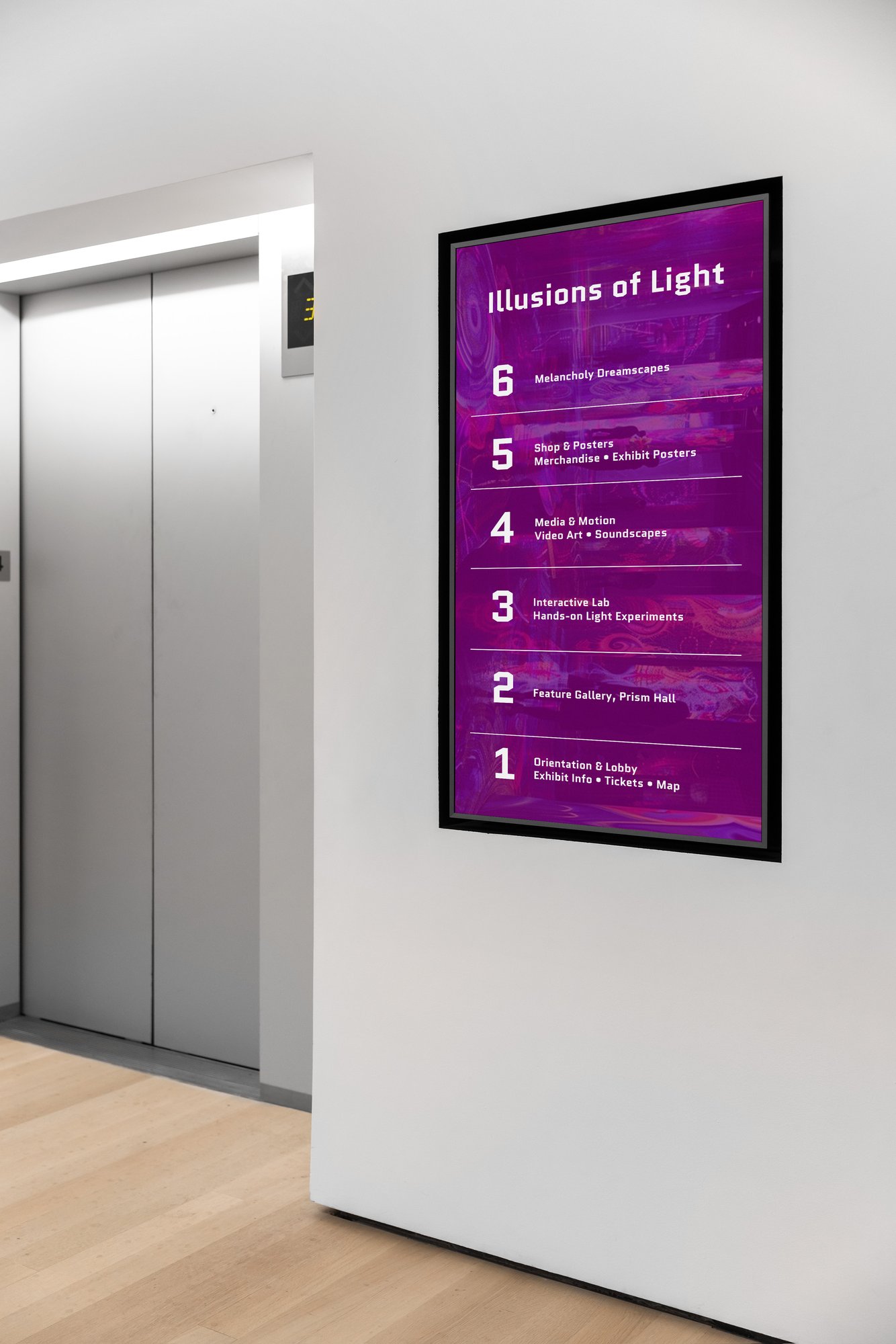
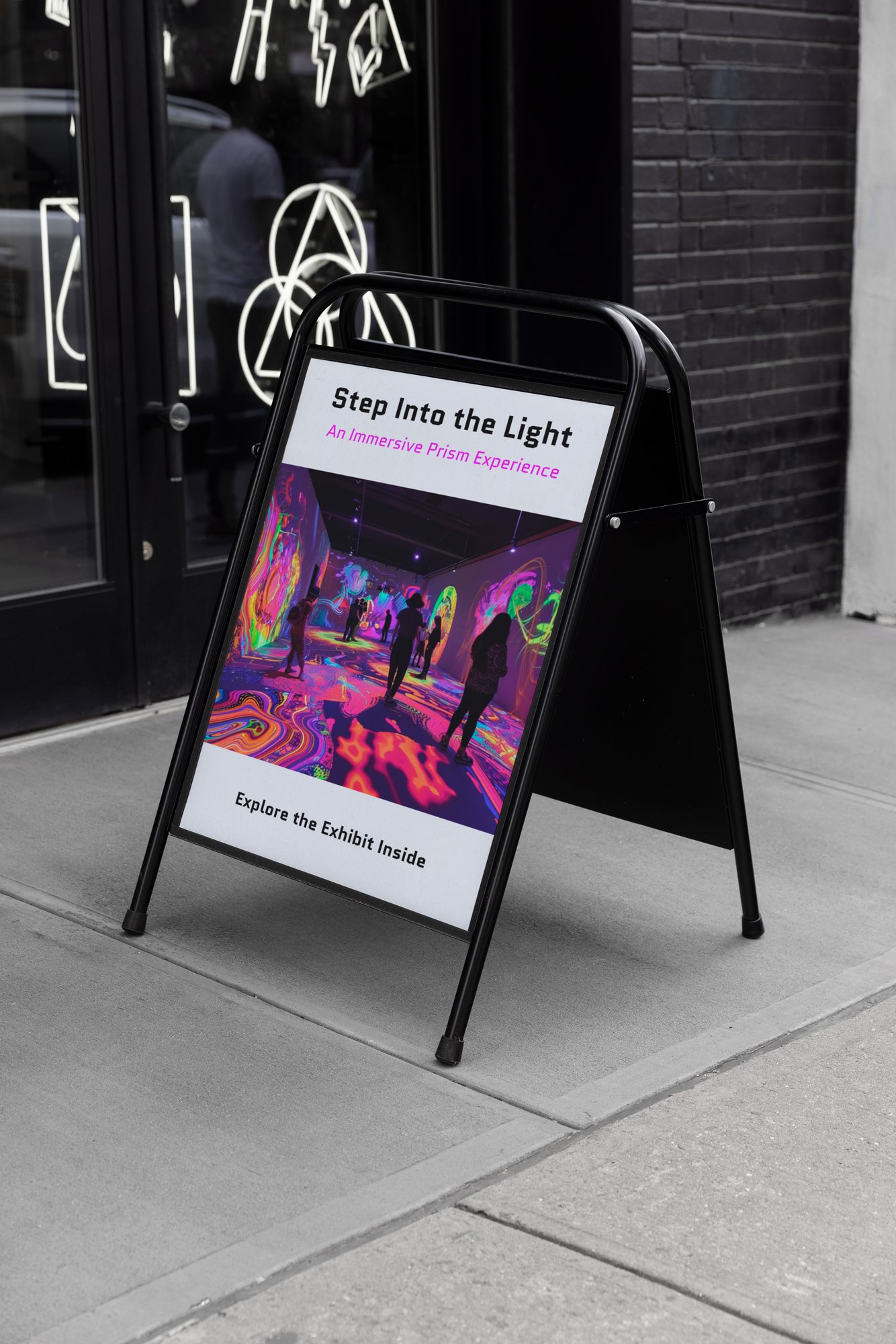
The exhibit map in the app and the entrance sign use the same four rooms: Color Room, Reflection Zone, Prism Tunnel and Spectrum Hall. Early critique pushed me toward a more futuristic typeface in white, which I carried from the hero image to the signs.
Looking back
This was a clickable Figma prototype, not a built product. The flashlight drawing and the LED rooms are concepts, and I didn’t test them with real visitors. Some interface components came from the Figma Community, and the base images from Adobe Firefly.
“I wanted to create something visually strong, organized, and easy to follow.”